
Using Copilot in Teams and Office
Learn how to use Copilot features in supported apps.
Last updated on
Copilot chat shortcuts
Microsoft apps like Teams and Office will often include a shortcut button to Copilot Chat.
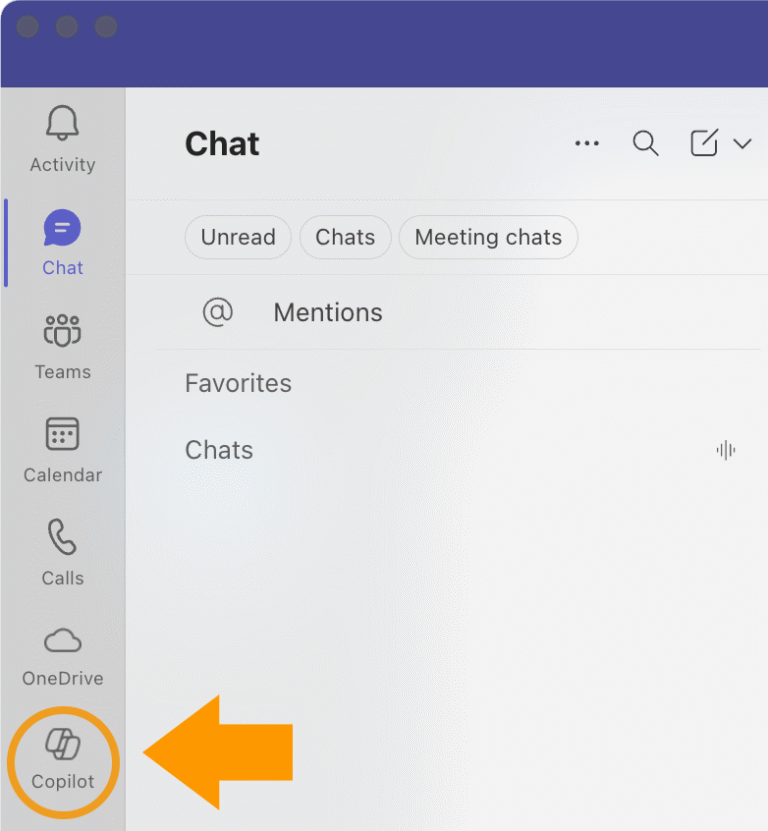

Copilot Chat shortcut in Microsoft Word.

For more on using Copilot Chat, visit How to access Copilot Chat on your government workstation.
Copilot features in Microsoft Teams meetings
Microsoft Teams allows control of how and when Copilot transcription and summarization is available in meetings. Meeting organizers can adjust this based on whether the meeting is routine, collaborative or sensitive. Only users with a Copilot license will be able to see and use Copilot features during the meeting.
Settings for meeting organizers
In Meeting Options > Allow Copilot, meeting organizers can choose a setting from 3 options.
- During and after the meeting: Copilot is available and a transcript will be saved. This is the default setting
- Only during the meeting: Copilot is available but saving a transcript is not required. Useful for sensitive meetings
- Off: Copilot is disabled for all participants
Transcription can still be enabled if it’s not being saved. The transcribed content may be visible during the meeting but will not be retained afterward.
Consult your security and compliance teams before enabling Copilot in sensitive contexts.
Copilot features coming to Outlook
Future updates to Outlook will allow built-in Copilot Chat to interact with a user’s entire inbox, calendar and meetings. These features are expected to launch in preview by March 2026 and be made available to B.C. government employees at a later date.
Content by
CSBC Digital Government
Contact
digitalgovernment@gov.bc.ca